Home
ThemeBlogGithub

Revolutionary Figma plugin

Tired of the tedious, manual process of crafting a consistent and harmonious Material Design 3 color system? Wish you could effortlessly generate, refine, and integrate beautiful M3 palettes directly into your Figma workflow? Look no further!
Fast Theme Switching

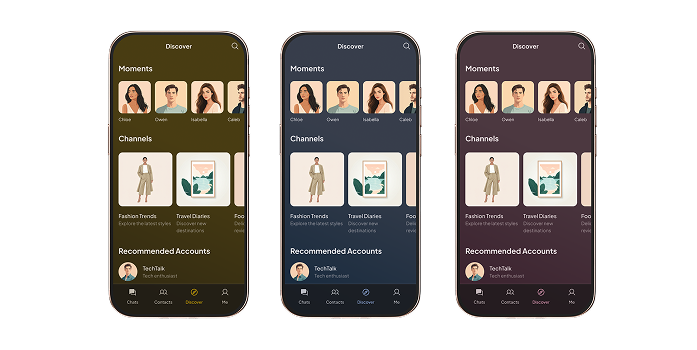
Our Plugin empowers you to effortlessly swap your entire design's color palette with a single click! Generate a new M3 system, apply it to your existing Figma variables, and watch your layouts instantly adapt. Experiment with different brand identities, test seasonal themes, or present multiple options to clients with unprecedented speed and precision.
Fast Theme Switching

Dark/Light Mode Support

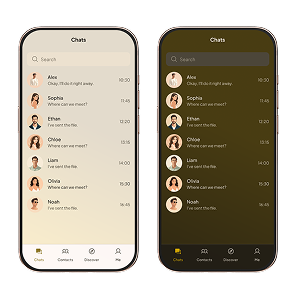
It provides the robust foundation for both modes right from the start. Create perfectly harmonized, accessible dark and light palettes that adapt flawlessly. Deliver a superior user experience across all conditions, ensuring your designs look stunning and perform brilliantly, whether day or night.

How to use

1. Select source color/Light Mode Support

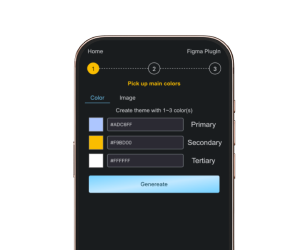
Option A: Define 3 Main Colors

1. Locate the "Color" section.
2. Click on the color swatches for "Primary," "Secondary," and "Tertiary."
3. Use the color picker or enter HEX values to select your desired core colors.
4. Click “Generate” Button

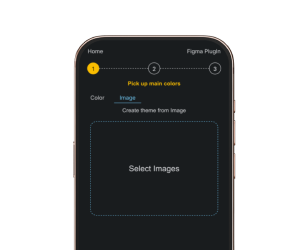
Option B: Use a Reference Image

1. Locate the "Image" section.
2. Click “Select Image” area to select a local image.
3. Click “Generate” Button

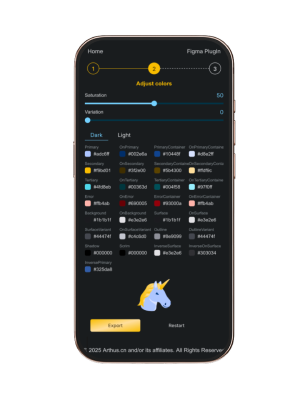
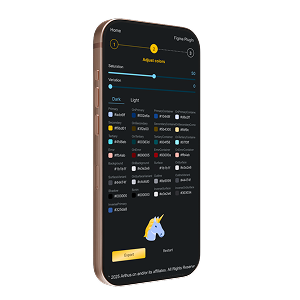
2. Adjust Color

Adjust Saturation

Drag the "Saturation" slider left to decrease the overall vibrancy (more muted) or right to increase it (more vivid).
Observe the real-time changes to your entire color system.

Adjust Closeness to Reference

Drag the "Reference Closeness" slider (or similar label) left to allow for more deviation from the initial generated hues,
or right to pull the palette closer to the original reference colors.

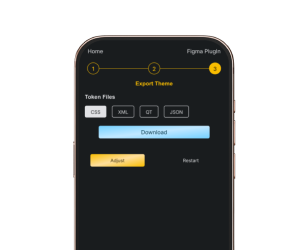
3. Export Tokens

Industry-Standard Color Tokens

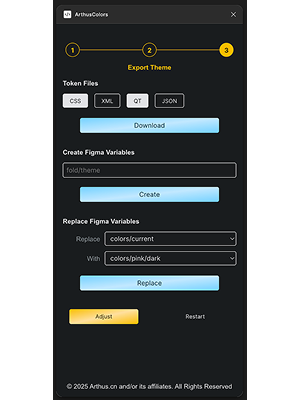
1. Choose one or more desired token formats
2. Click ‘Download’ button
3. Seamlessly integrate your new color system into your development workflow with easily downloadable color tokens.

Figma Plugin Only

Export Directly to Figma Variables

1. Input theme name (‘collection/folder/to/path/theme’)
2. Click ‘Create’ button and check variables

Quick Theme Switching

1. Use a stand theme in your figma design file
2. Select ‘Replace’ theme and ‘With’ theme
3. All the themes contain enough colors will be shown here
4. Click ‘Replace’ button and check your file